Don’t forget what you can’t do right now.
A message you can’t answer yet, a missed call, a link for later, a note on the fridge. Meantime turns them into reminders and brings them back at the right moment, so you never have to write the task yourself.
You’re in.
We’ll let you know when Meantime is ready for your phone.
Thank you. That genuinely helps us decide what to build first.
You’re on the list.
Works with the apps you already use. Start from a message, a shared link, a photo, your voice or anything on your mind.
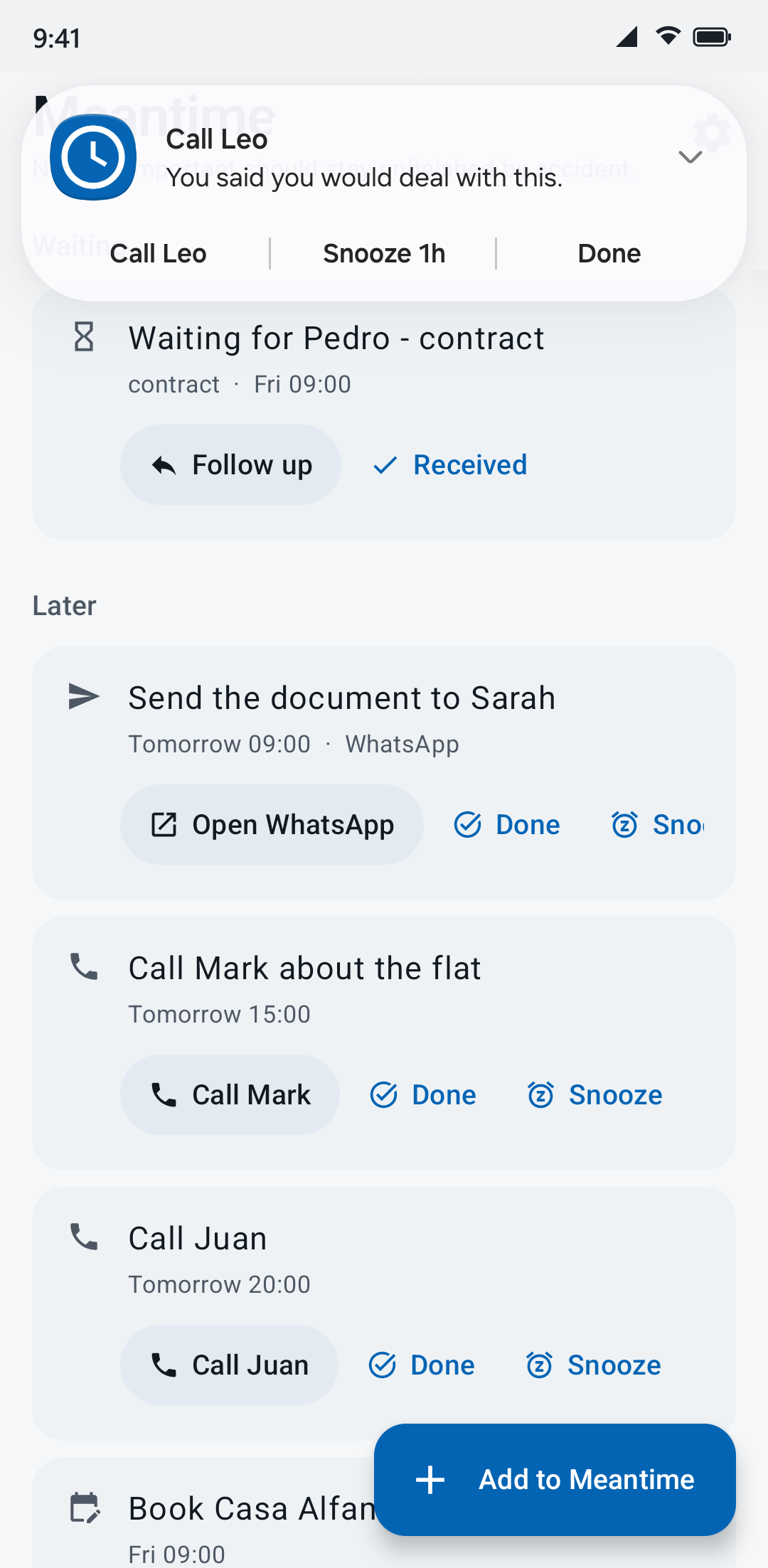
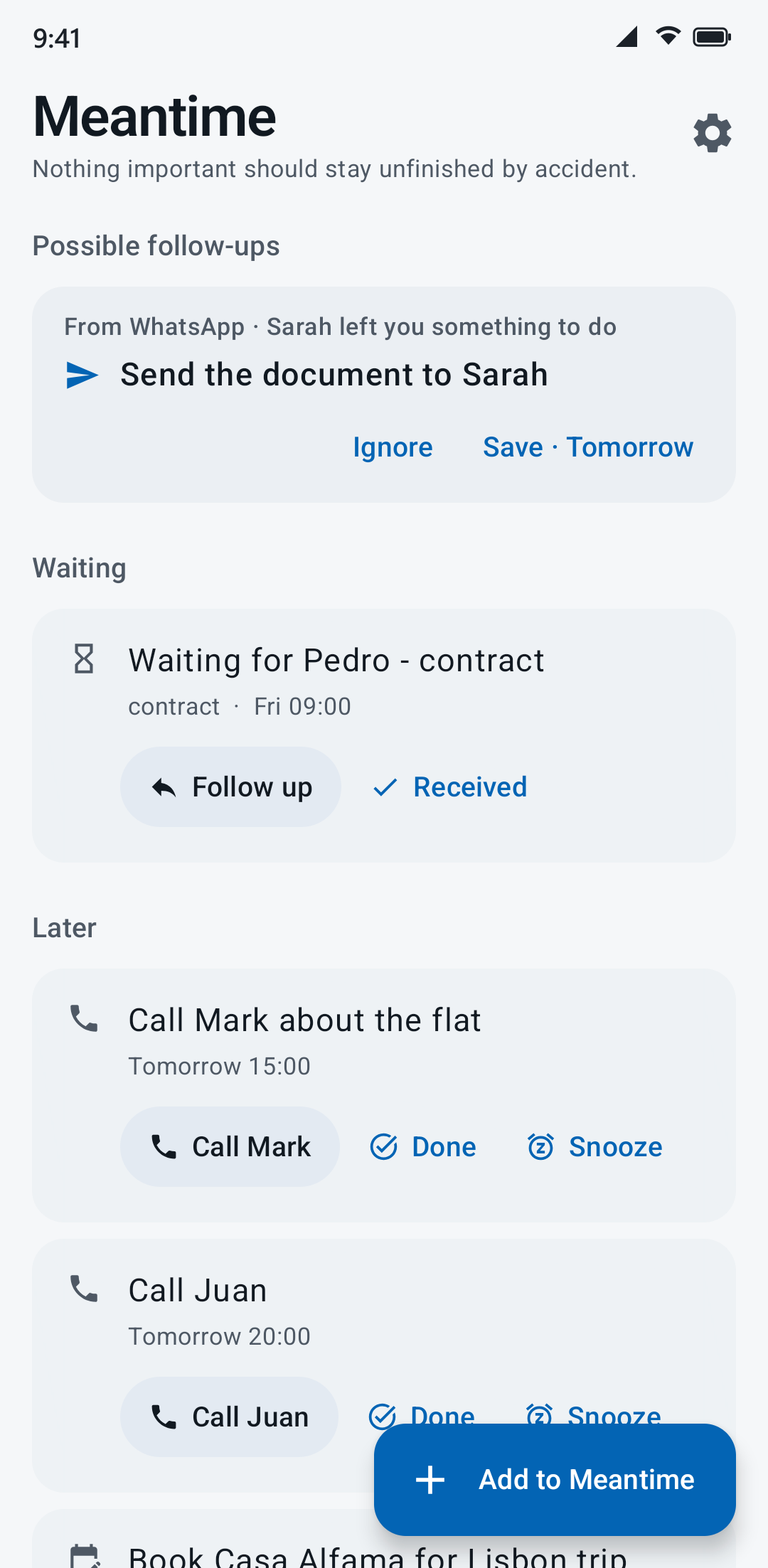
Meantime catches it for you
You don’t forget because you don’t care. You forget because it arrives at the wrong moment. You don’t create the task: you just say yes.
-
Sarah asks for something
You’re in a meeting and can’t answer.
WhatsApp · Sarah Can you send me the document tomorrow?
-
Meantime catches it
It sees there’s something to do and offers to keep it for you.
-
One tap
Save · Tomorrow. Back to your meeting.
-
It comes back
Tomorrow at 09:00 it’s back, with WhatsApp one tap away. Mark it done, or snooze it.
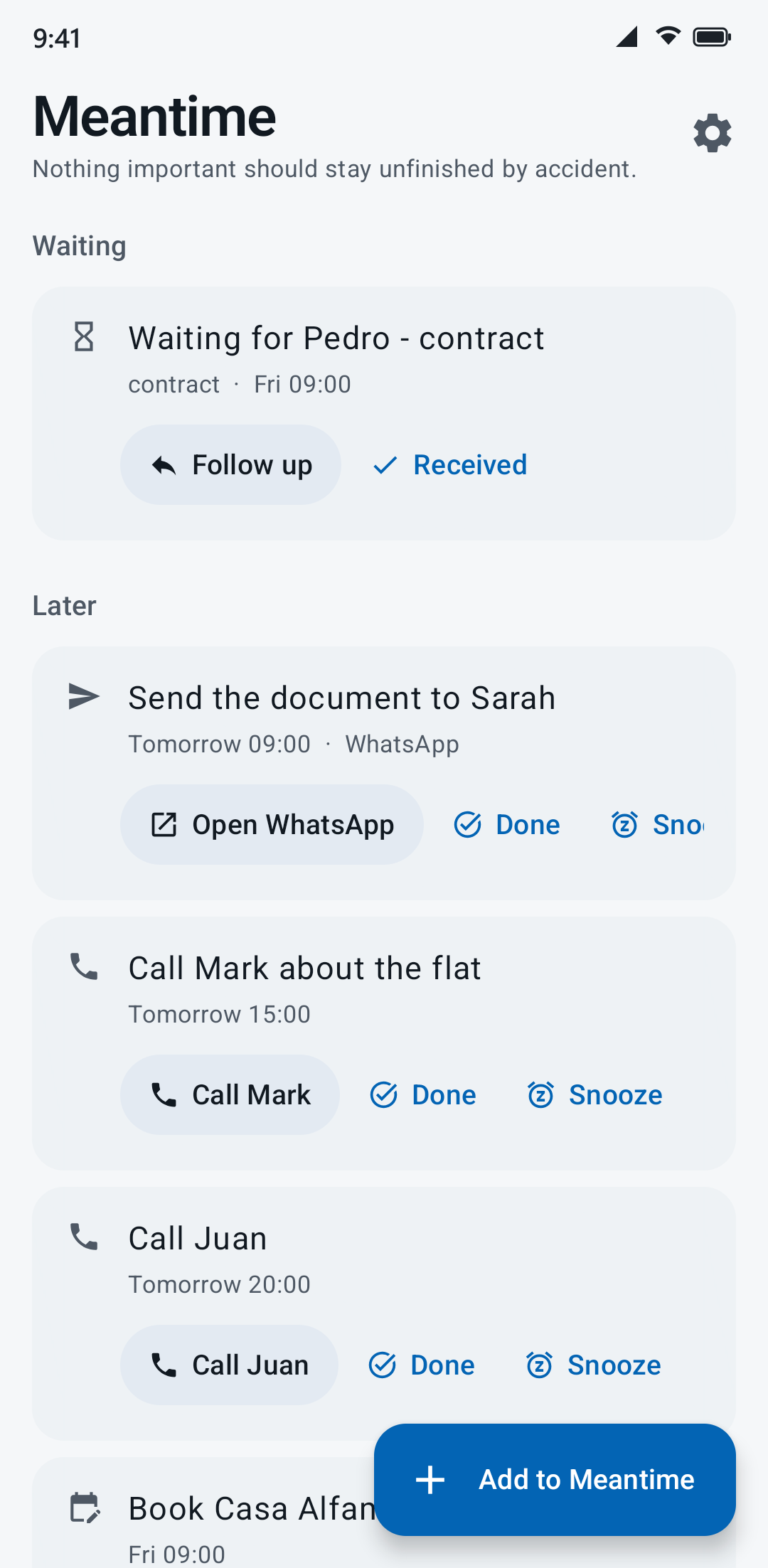
Not another to-do app
A to-do app starts after you’ve decided to create a task. Most things don’t start that way. They start as:
- “Can you send me that document?”
- “Call me tomorrow.”
- “Don’t forget the milk.”
- “I’ll read this later.”
Meantime is for those moments.
Things you don’t want to forget
One place for everything that’s still open.
- WhatsApp · Ana
Can you send me the photos from Saturday?
becomesSend the photos to Ana Tonight 20:00 - Missed call · Dad
Missed call · 12:41
becomesCall Dad In 1 hour - A note to self
pay the electricity bill by 30 September
becomesPay the electricity bill Wed 30 Sep 09:00 - Something you’re waiting for
waiting for Pedro to send the contract
becomesWaiting for Pedro - contract Thu 09:00 - ChatGPT
chatgpt.com/share/… · 3 days in Lisbon: an itinerary
becomes3 days in Lisbon Sat 10:00 - A thought
buy a birthday present for Ana next week
becomesBuy a birthday present for Ana Mon 5 Oct 09:00
You don’t have to write the task
Share it, snap it or say it. Meantime works out what to do, who it’s about and when to bring it back.
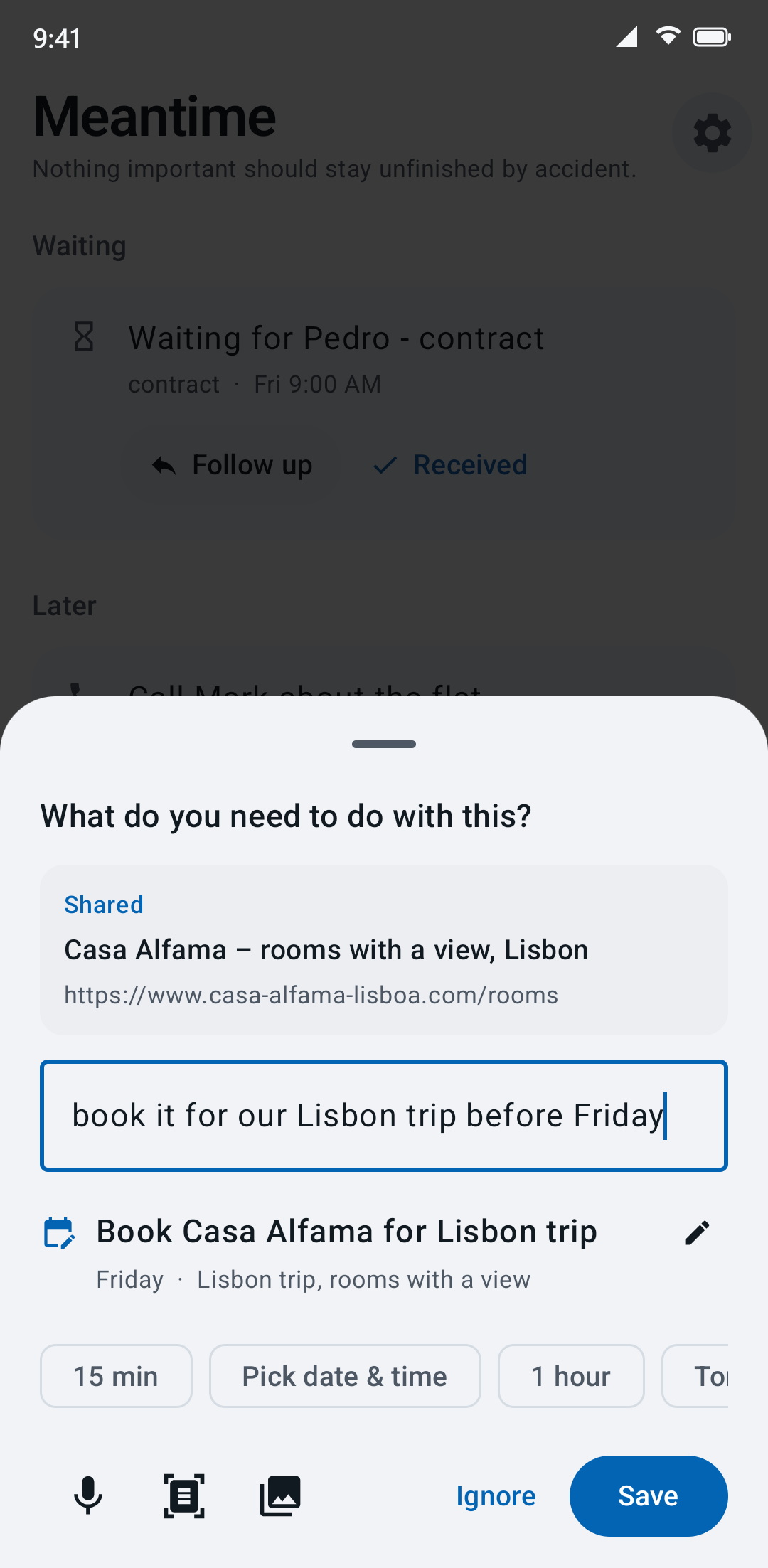
Something to book, but not right now
- You find the hotel for your trip, but you’re on the bus.
- Share it to Meantime, with a few words if you like.
- It comes back when you have time, with the page ready to open.
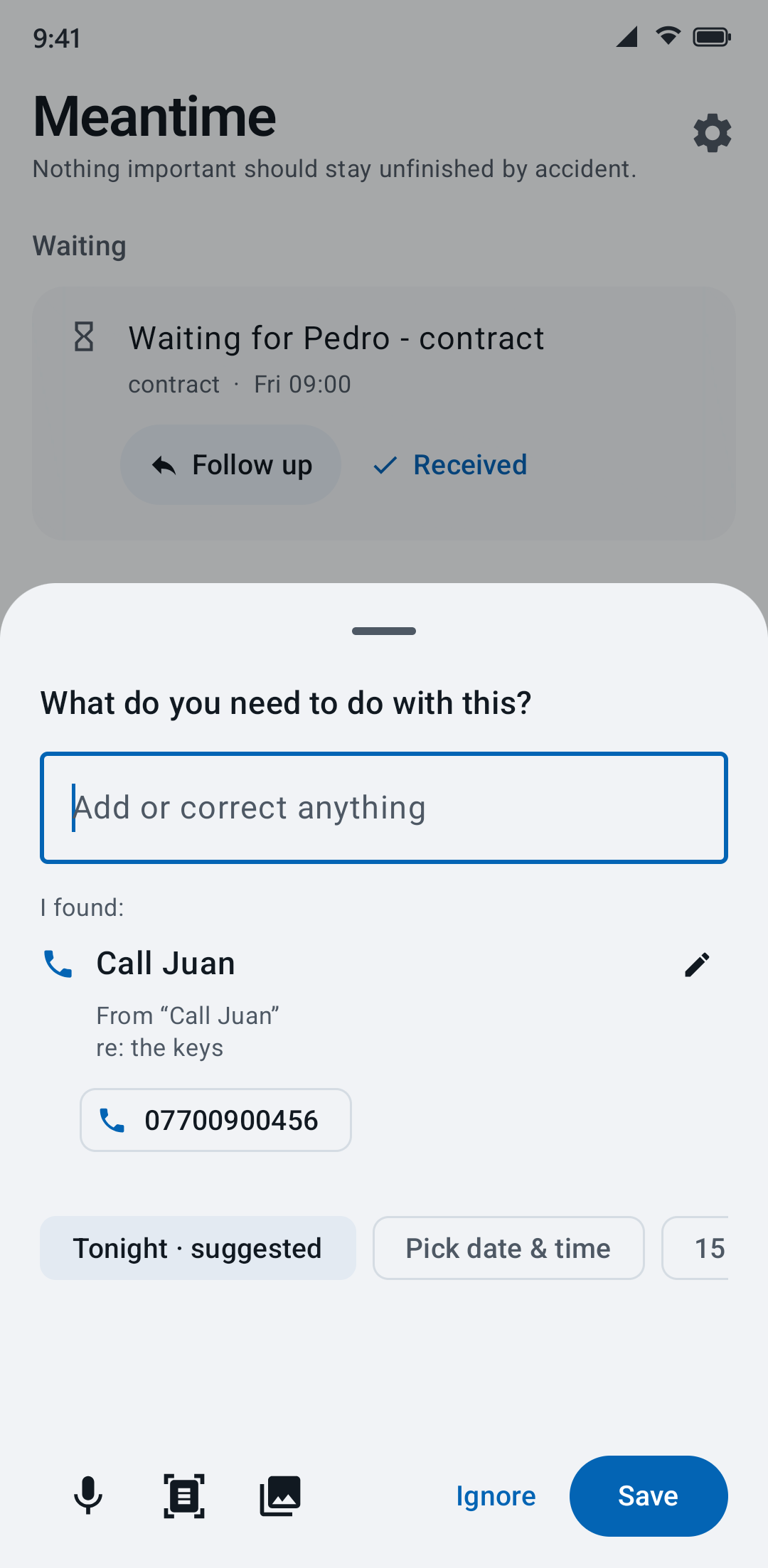
A note on the fridge
- A scribbled note: call Juan about the keys.
- Take a photo. Meantime reads it, handwriting included.
- It’s saved with a Call Juan button and the number ready.
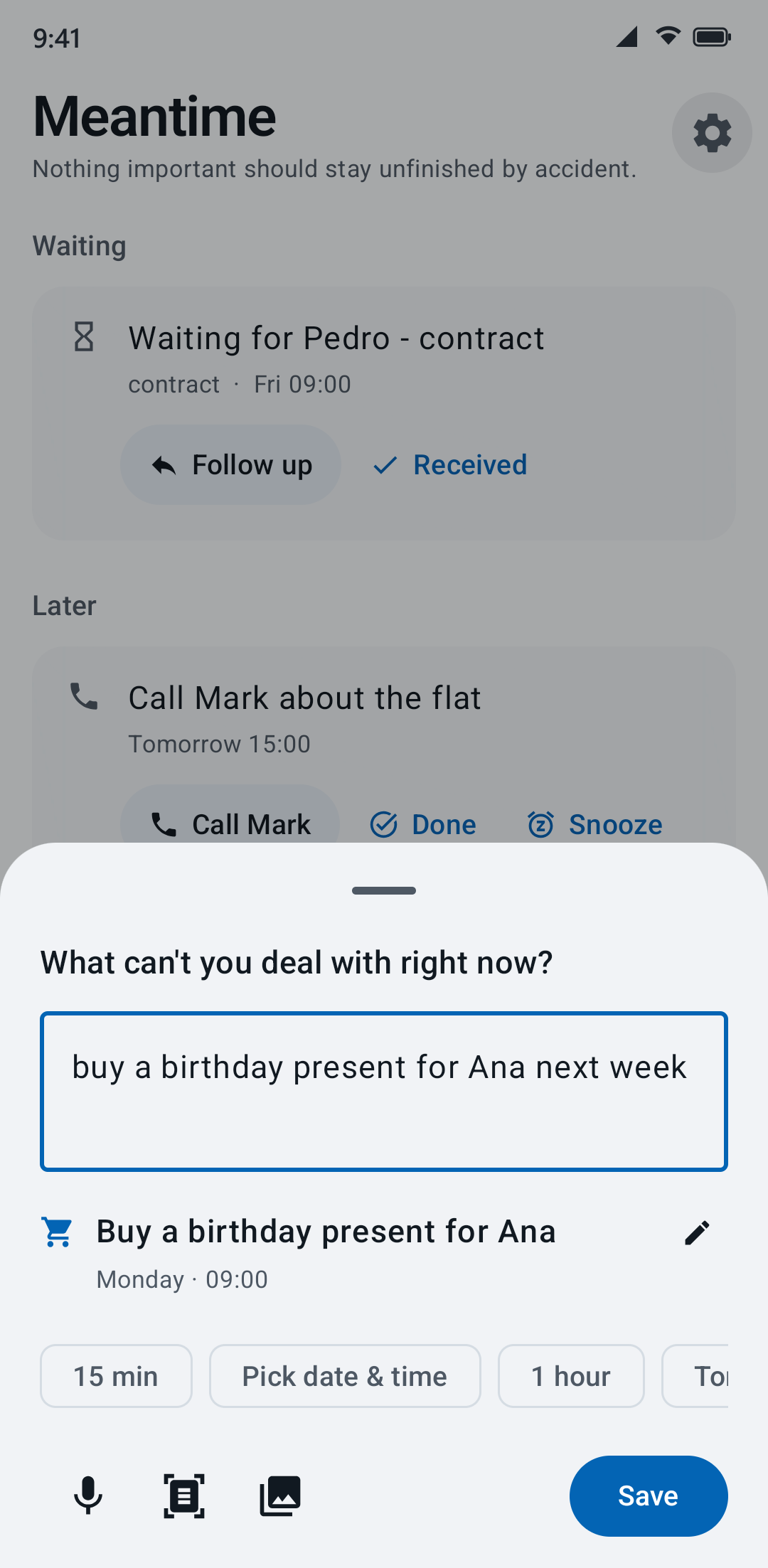
An idea on the way home
- Type it or say it, the way you’d tell a friend.
- Meantime turns it into a clear task with a date.
- Change anything, or just tap Save.
Every screen on this page is the real app, running on an Android phone.
Your messages stay yours
-
It never speaks for you
Meantime doesn’t send messages or answer anyone. It only helps you remember what you have to do.
-
You choose which apps it sees
Pick the apps it pays attention to. Switch any of them off whenever you like.
-
Your reminders stay on your phone
Meantime uses AI in the cloud to understand what you give it. Your reminders are kept on your phone, and you don’t need an account.
Questions
Does it work with WhatsApp?
Yes. When a WhatsApp message asks you for something, Meantime offers to keep it, and one tap saves it. It never replies for you.
What happens to my messages?
Only if you let it, Meantime looks at the notifications of the apps you choose. To turn a notification or something you share into a task, some of that information may be sent to an AI service in the cloud to be processed. Only what’s needed to create the reminder is sent. Meantime doesn’t reply or send messages for you.
What if it gets something wrong?
Change it with a tap. And when Meantime isn’t sure what you meant, it asks instead of guessing.
Which languages does it understand?
English, Spanish and German. Write the way you normally would.
Is there an iPhone version?
Not yet. Meantime starts on Android.
What will it cost?
It’s free during early access. After that there will be a free version and a paid plan for people who save a lot.
Stop keeping things in your head
Meantime remembers the things you can’t deal with right now. Leave your email and be among the first to try it.
- Android
- Free during early access
- Only emails about Meantime
You’re in.
We’ll let you know when Meantime is ready for your phone.
Thank you. That genuinely helps us decide what to build first.
You’re on the list.